

Failed Stripe Payment Notification Automation
TL;DR.
Maven X created an automation to handle failed Stripe charge notifications, ensuring immediate team awareness and prompt action. The automation extracts payment details, creates a Slack notification, and benefits from efficiency, real-time alerts, improved cash flow management, and enhanced customer support.
Script Content
Introduction.
Hi, I’m Noah from Maven X. In this video we’ll see how Maven X uses automation to handle failed Stripe charge notifications, ensuring our team is immediately informed and can take prompt action.
This is part of our business automation series, where we showcase how automation has helped Maven X streamline operations, drive growth, and ensure precision. As you watch, consider how automation can save your business time, eliminate repetitive tasks, and enhance accuracy, ultimately boosting your productivity.
Problem Statement.
One common challenge businesses face is managing failed payment notifications efficiently. Manually tracking and responding to these events can be cumbersome and may lead to delayed responses, impacting customer relationships and cash flow. While not all businesses want to know about each failed payment, Maven X deals with fewer payments that are required for services. If these payments fail, we need to be aware so we can coordinate with our client to update their payment information so their services aren’t affected.
High Level Explanation.
That’s why we created our Failed Stripe Payment Notification automation. This solution ensures that each failed charge is quickly reported to the team, allowing for timely follow-up and resolution without manual intervention.
Demonstration.
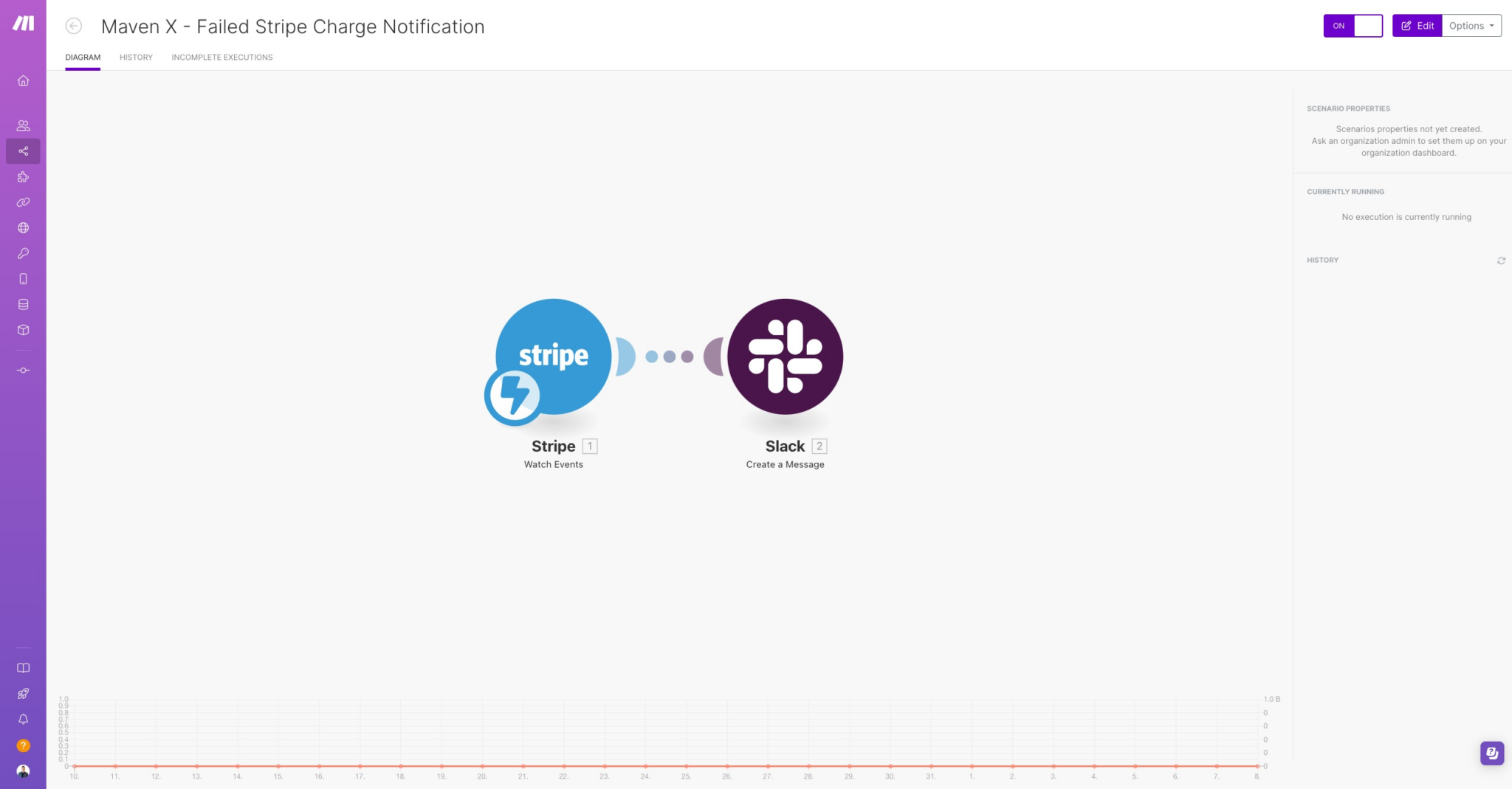
We have a simple one here in this video! Currently, Stripe still doesn’t have a notification method for account users to be notified of failed payments. That’s where this simple automation comes in.
Now let’s see how the automation works:
- Stripe Event Webhook: The process begins with a webhook from Stripe that triggers when a charge fails.
- Extract Payment Details: The automation extracts key details about the failed payment, including the customer, amount, and failure reason.
- Create Slack Notification: A message is automatically sent to the designated Slack channel, notifying the team of the failed charge with relevant details, such as the customer name, amount, and invoice number. The message includes instructions to follow up if the issue persists.
Stripe does automatically send the customer a failed payment notification. So now both the customer and Maven X are kept in the know.
Benefits Recap.
By automating this process, we gain a few benefits like:
- Efficiency: The automation eliminates manual monitoring of payment events, allowing the team to focus on more strategic activities.
- Real-Time Alerts: Immediate Slack notifications ensure the team is quickly informed of any issues, enabling fast resolution.
- Improved Cash Flow Management: Prompt notifications and follow-ups help minimize disruptions in cash flow due to failed payments.
- Enhanced Customer Support: With timely alerts, the team can reach out to customers swiftly, addressing issues before they escalate.
Closing.
Thank you for watching! We hope this video has inspired you to consider the benefits of automation for your business. Be sure to check out our other videos for more automation solutions and success stories.
Until next time, happy automating!
Let's Talk About Your Goals
Tell us what you are working toward and a Maven X team member will get back to you.